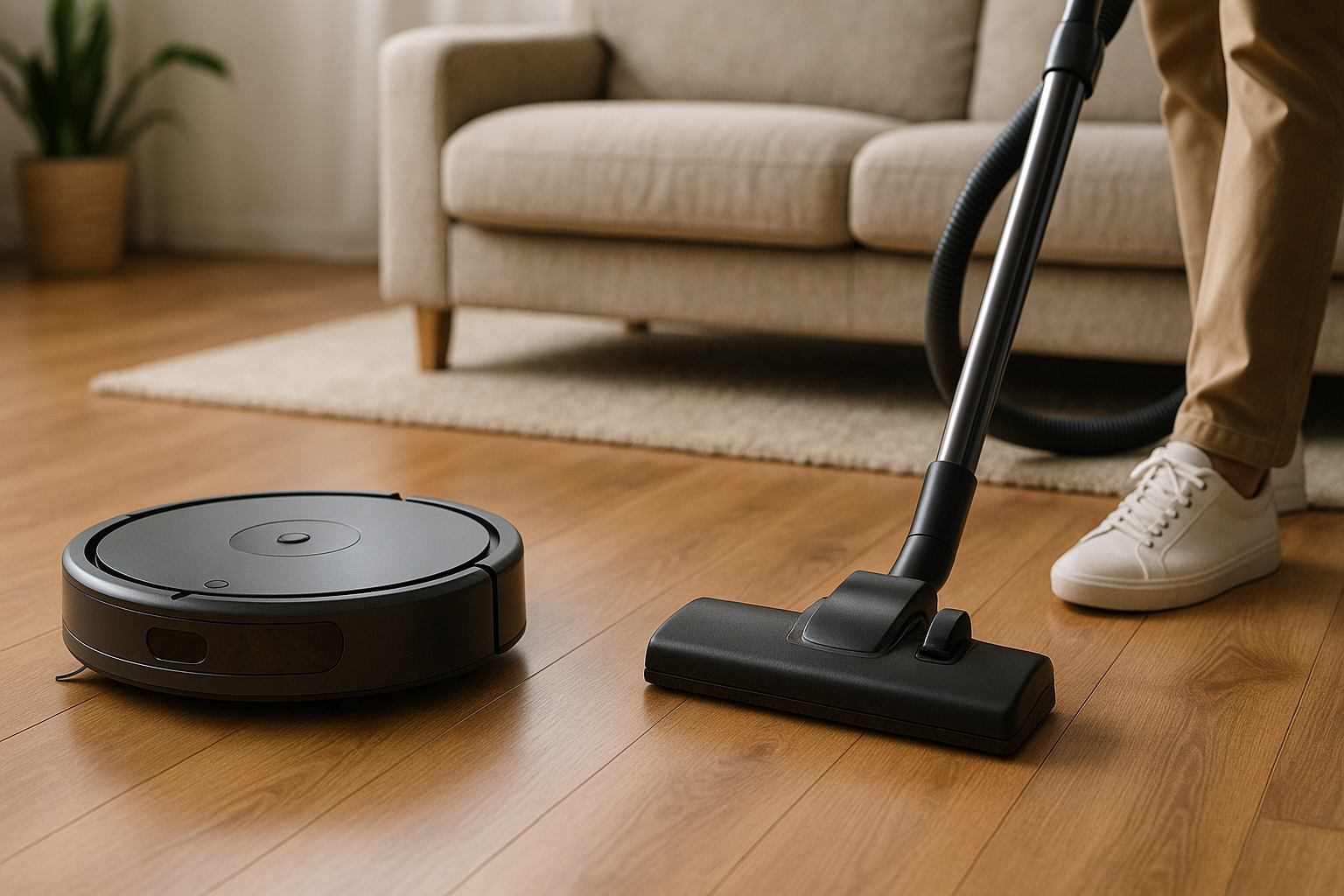
What Is a Robot Vacuum and How Does It Differ From a Regular Vacuum?
A robot vacuum is a self-contained, disc-shaped cleaning machine that moves autonomously around your floor using sensors, cameras, or LiDAR mapping. A regular vacuum — whether upright, canister, or stick — is a handheld or push-operated unit you physically guide through your home.
The core difference isn't just mobility. It's intent. Robot vacuums are designed for daily maintenance. Regular vacuums are built for deep cleaning. Treating them as direct substitutes is where most people go wrong, and it's usually what leads to the "my robot vacuum is useless" complaints you see in forums.
Modern robot vacuums like the Roborock S8 Pro Ultra or the iRobot Roomba j9+ use LiDAR mapping and AI-powered obstacle avoidance to build a floor plan of your home, run scheduled routes, and return to dock themselves. Some even mop while vacuuming. Regular uprights like the Dyson Ball Animal 3 or Shark Navigator Lift-Away operate with far stronger motors but demand your time, your effort, and your physical presence.
Suction Power and Deep-Clean Performance: Head-to-Head
Let's be direct: regular vacuums win on suction. A mid-range upright like the Shark Rotator ($250–$300) typically delivers 1,000–1,200 air watts. Premium robot vacuums top out around 10,000 Pa (Pascal) of suction — the Roborock S8 MaxV Ultra being a standout — but Pa and air watts measure different things. In practical cleaning tests, uprights still extract more embedded dirt from carpets.
On hard floors, the gap shrinks considerably. Robot vacuums like the Eufy RoboVac X9 Pro handle daily surface debris — crumbs, dust, pet hair, light grit — with no real weakness. Run one daily and your floors stay genuinely clean.
Where a robot vacuum cannot compete: deep carpet cleaning, moving heavy debris, cleaning upholstery, cleaning stairs, or sucking out the grime buried in high-pile rugs after months of accumulation. For a serious monthly deep clean, you still need a standard vacuum with a motorized brush roll and real suction torque.
Floor Type Compatibility: Which Vacuum Wins on Carpet, Hardwood, and Tile?
Hardwood and Tile
Both types handle these well, but robot vacuums have a slight lifestyle edge. Running a Roborock or Roomba every day means your hardwood never builds up the fine layer of dust that makes floors look dull. Manual vacuuming once a week can leave 6 days of accumulation in between. On bare floors, the robot wins through frequency.
Low-Pile Carpet
Robot vacuums handle low-pile carpet reasonably well. The Roomba j9+ and Roborock S8 series use rubber brush rolls that resist tangling and pull surface debris effectively. You won't be blown away by deep-extraction results, but for maintenance cleaning, they're adequate.
High-Pile, Plush, or Shag Carpet
This is where robot vacuums struggle. Many get stuck, lose suction efficiency, or simply skim across the surface. A Dyson V15 Detect or a full-size upright with a beater bar will extract far more from thick carpet. If 60% of your home is high-pile carpet, a robot vacuum is a secondary tool at best.
Area Rugs
Most robots handle thin, flat area rugs fine. Edges and fringe are the problem — they flip rugs, get tangled, or try to climb and fail. Several newer models like the Dreame X40 Ultra have auto carpet boost and edge-detection features that help, but this is still an area where traditional vacuums operate without drama.
Convenience and Automation: Set-It-and-Forget-It vs. Manual Control
Here's the real reason people buy robot vacuums: time. The average person spends 30–45 minutes vacuuming a mid-sized home. A robot vacuum eliminates that entirely for maintenance cleaning. Schedule it while you're at work, wake up to cleaner floors.
Premium models with auto-empty bases — like the Shark Matrix Plus with its Matrix Clean navigation or the iRobot Roomba Combo j9+ — go even further. You might only need to interact with them once every 30–60 days to empty the base unit's bag.
A regular vacuum gives you precise control. You decide where it goes, how many passes it makes, and when it stops. That's a feature, not just a limitation. If you have a toddler who dropped cereal in the corner, you're not waiting for a robot to notice it on its next scheduled run.
Robot vacuums require upfront setup — mapping your home, setting no-go zones, cleaning the brushes regularly. They also need clear floors. Charging cables, socks, and small toys will either stop a robot vacuum dead or get shredded.
Cost Breakdown: Upfront Price, Maintenance, and Long-Term Value
Upfront Costs
| Type | Entry Level | Mid-Range | Premium |
|---|---|---|---|
| Robot Vacuum | $150–$250 | $400–$700 | $900–$1,800+ |
| Regular Upright | $80–$150 | $200–$350 | $500–$900 |
A $250 robot vacuum (like the Eufy 11S or basic Roomba 694) will frustrate you. Random navigation, weak mapping, constant re-cleaning of the same spots. Spend at least $400–$500 for LiDAR navigation and a reasonable cleaning algorithm, or you're wasting money.
A good regular vacuum? You can spend $200 on a Shark Navigator Lift-Away and it will genuinely impress you. Uprights have a much lower floor for useful performance.
Maintenance Costs
- Robot vacuums: Replacement brush rolls ($20–$40), filters ($10–$20), side brushes ($10–$15). If you buy an auto-empty model, replacement bags run $15–$30 per pack. Annual maintenance: roughly $60–$120.
- Regular vacuums: Replacement bags (bagged models) or periodic filter replacement. Lower ongoing costs, typically $20–$50/year.
Long-Term Value
A quality upright with proper maintenance can last 8–12 years. Robot vacuums, being far more mechanically complex, typically see meaningful wear at the 4–6 year mark for premium models. Factor that into your calculation.
Cleaning Coverage and Navigation: Can a Robot Vacuum Replace Your Weekly Clean?
Honest answer: not entirely. But it depends on your home.
Modern LiDAR-mapped robots are genuinely good at coverage. The Roborock S8 Pro Ultra maps multi-story homes, remembers room names, and cleans in systematic parallel lines rather than random bouncing. On a single-floor, open-plan home with mostly hard floors, it covers 95%+ of accessible areas per run.
The 5% it misses matters. Corners, baseboards, along walls, under furniture with low clearance — these accumulate. A quarterly deep clean with a traditional vacuum addresses this.
Also non-negotiable: stairs. No robot vacuum cleans stairs. Period. If you have a multi-story home, you need a standard vacuum for the staircase regardless of what robot you own.
Pet Hair, Allergens, and Air Quality Performance
If you have pets or allergy sufferers in your home, this section matters more than any other.
Robot vacuums like the Roomba j9+ and Roborock S8 MaxV Ultra use rubber brush rolls specifically designed to resist pet hair tangling — a real improvement over older bristle designs. Running daily means pet hair doesn't accumulate between cleans. For pet owners with moderate shedders, this is genuinely useful.
Air filtration is where traditional vacuums hold an edge. Models like the Miele Complete C3 with its sealed filtration system or the Dyson Ball Animal 3 with HEPA filtration capture finer particles more reliably. Many robot vacuums claim HEPA filters but operate as unsealed systems, meaning some fine dust escapes the unit.
For serious allergen concerns, pair a robot vacuum (for frequency) with a sealed-filtration upright (for deep cleaning) and you get the best of both.
Noise Levels and Household Disruption
Robot vacuums run quieter than most uprights — typically 60–70 dB versus an upright's 75–85 dB. That's not a small difference; it's audible.
The practical upside: you can run a robot vacuum while on a video call, during a baby's nap, or while watching TV without turning the volume up. Schedule it at 7 AM before your household wakes up. A traditional vacuum forces you to stop whatever you're doing.
One caveat: the dock-based self-empty function on premium robot vacuums is surprisingly loud — a sharp 5–10 second blast similar to a leaf blower. Some people find this startling.
What Each Type Handles Best (and Worst)
Robot vacuum does best at: Daily maintenance on hard floors, pet hair control between deep cleans, cleaning while you're away, open floor plans.
Robot vacuum does worst at: High-pile carpet, corners, edges, stairs, large debris, cluttered floors, upholstery.
Regular vacuum does best at: Deep carpet extraction, stairs, upholstery, precise spot cleaning, large messes, high-pile rugs.
Regular vacuum does worst at: Consistency — most people don't vacuum often enough manually, which is where floors actually deteriorate.
Smart Home Integration and Tech Features: Where Robot Vacuums Pull Ahead
This isn't a close contest. Robot vacuums from Roborock, iRobot, Ecovacs, and Dreame integrate with Amazon Alexa, Google Home, and Apple HomeKit. You can voice-command a specific room clean, check cleaning history in an app, set virtual no-go zones, and receive alerts when something's wrong.
Dreame's X40 Ultra now includes AI-powered object recognition that identifies cables, shoes, and pet waste and navigates around them automatically. Roborock's app shows you a real-time heat map of cleaned areas. IRobot's iRobot OS learns your cleaning preferences over time.
A Shark Navigator Lift-Away does not send you app notifications. This entire category belongs to robot vacuums.
When You Actually Need Both: The Case for Using Them Together
Most real households benefit from owning both. Here's the workflow that actually works:
- Robot vacuum runs 5–7 days a week for maintenance. Floors stay presentable daily.
- Traditional upright runs once every 2–4 weeks for a thorough deep clean, stairs, upholstery, and corners.
This combination costs $600–$900 total (a solid robot + a mid-range upright) and delivers cleaner floors than using either alone. The robot prevents daily buildup; the upright handles what the robot can't reach.
If you're in a one-bedroom apartment with no carpet and no pets, a mid-range robot vacuum might genuinely be all you need, plus a handheld stick vacuum for quick jobs.
Our Verdict: Which Vacuum Should You Buy?
Buy a robot vacuum if: You have hard floors or low-pile carpet, a busy schedule, pets that shed regularly, and you want daily cleaning without daily effort. Budget at least $400–$500 — the Roborock Q8 Max+ (around $450) is the best value entry into LiDAR mapping with an auto-empty base.
Buy a regular vacuum if: You have significant high-pile carpet, a multi-story home with lots of stairs, or you need deep-clean performance on a budget. The Shark Navigator Lift-Away ($250) is hard to beat at its price.
Buy both if: You have a mixed-floor home, pets, or allergies — and you want the floors to actually be clean, not just look clean between weekly sessions.
The robot vacuum versus regular vacuum debate doesn't have a universal winner. It has the right tool for the right job. The mistake most people make is buying a robot vacuum expecting it to replace deep cleaning. Use it as a maintenance system, supplement it quarterly with a traditional vacuum, and you'll spend less time thinking about vacuuming altogether.
Start here: Figure out your floor types, your pet situation, and how often you realistically deep clean. That three-question filter will point you to the right answer faster than any spec sheet.